
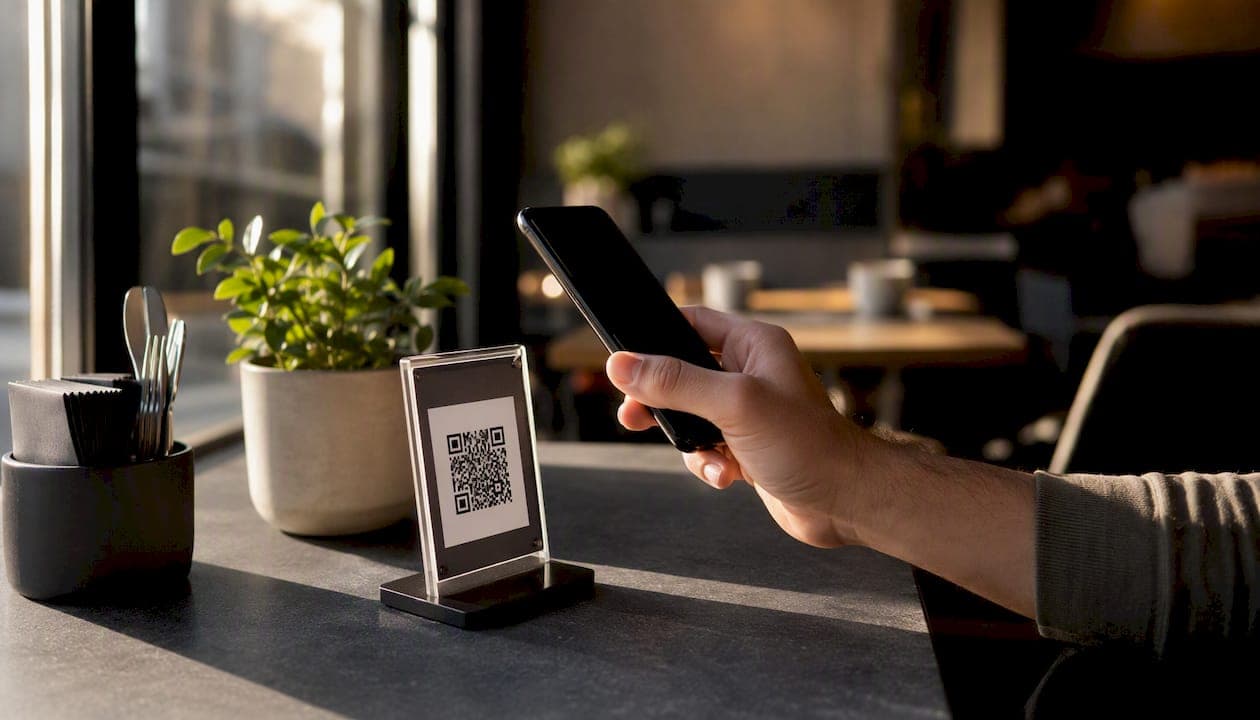
If you run a full-service restaurant and you haven't piloted a mobile order-at-table system yet, the short answer is: do it now. Deploy a QR-based, POS-integrated solution on one or two sections, run it for 30 days, and track three numbers: average check size, table turn time, and order error rate. Qrordering offers a free trial that makes this pilot essentially zero-risk.
Three reasons this matters right now:
- Speed: Guests order the moment they're ready, not when a server happens to pass.
- Higher checks: Digital menus with photos drive add-ons and upsells without any staff effort.
- Fewer errors: Orders go directly to the kitchen, cutting the verbal relay that causes most mistakes.
Start with one section. Measure for 30 days. Then decide whether to expand.
Table of Contents
- What does "order at table" actually mean for your restaurant?
- Why do restaurants adopt table ordering systems?
- What features should you require from any table ordering vendor?
- How do you roll out a table ordering system in 30–60 days?
- What does it cost, and what ROI should you expect?
- What are the technical requirements before you go live?
- How do you handle payment security and PCI compliance?
- What KPIs should you track after launch?
- Key Takeaways
- What operators consistently get wrong with table ordering
- Qrordering makes your pilot straightforward
- Useful sources for implementation and compliance
What does "order at table" actually mean for your restaurant?
The industry term is mobile QR table ordering or self-order at table. The guest experience is simple: a QR code sits on the table, the guest scans it with their phone's camera, a web-based menu opens (no app download required), and they place their order directly. Payment can happen at the same moment or at the end of the meal. The order routes instantly to a kitchen display or printer, and the POS logs the ticket.
That flow contrasts sharply with the older model of staff-carried handheld POS devices, where a server still takes the order verbally and enters it on a tablet. Both are forms of tableside ordering, but the economics are different. Handheld POS keeps staff in the loop for every order; QR self-order shifts that labor to the guest and frees your team for hospitality, refills, and problem-solving.
Platforms like Table Order show how minimal the guest-side friction can be: scan, browse, tap items, confirm. For group tables, some systems let multiple phones join the same order session before it fires to the kitchen. The back-of-house experience is equally clean: one ticket, no transcription, modifiers printed exactly as entered.
Reservation platforms like Resy and OpenTable manage the seating side of the equation, but once a guest is seated, a QR ordering system takes over. The two workflows complement each other rather than overlap.
Why do restaurants adopt table ordering systems?
The operational case is straightforward, and it shows up in four places.
Reduced labor pressure. When guests self-order, a single server can cover more tables without the service quality dropping. During a staffing crunch, that math matters. Qrordering's own deployment data points to a reduction in staff members per shift after full adoption.
Faster table turns. Guests don't wait for a server to notice they're ready to order or ready to pay. Qrordering reports an increase in table turnover after implementation. On a busy Friday night with 40 covers, that's a meaningful number of additional seatings.
Higher average check. Photo-rich digital menus surface items guests would never think to ask for. A dessert photo at the bottom of the menu, a modifier that adds truffle oil for $3, a suggested pairing for the entrée. These upsells happen passively, without a server having to pitch them.
Fewer order errors. The guest types exactly what they want. No mishearing "no onions" as "extra onions." The error rate drops because the human relay is removed.
Statistic callout: Qrordering reports a 25% increase in table turnover and a significant reduction in order errors after full deployment, with operators cutting two staff members per shift on average.
Pro Tip: The benefits stack fastest in casual full-service restaurants during lunch and dinner shifts with high table turnover. If your average party size is 2–3 and your meal duration is under 75 minutes, QR ordering typically shows measurable results within the first two weeks of a pilot.
What features should you require from any table ordering vendor?
Not every system is built the same. When you evaluate vendors, treat this list as non-negotiable.
- Real-time POS integration: — Orders must sync to your POS automatically. Manual re-entry defeats the purpose and reintroduces errors.
- Kitchen printing and display routing: The system should fire tickets directly to your kitchen printer or KDS, with modifiers and allergy notes intact. The Order at Table app highlights table binding and call-service as standard feature expectations in this category.
- Onboarding and SLA: — Ask the vendor how long setup takes, what support looks like during the first 30 days, and what their uptime guarantee is.
Some vendors also bundle reservation and booking workflows alongside in-house ordering, which can simplify your tech stack if you're currently using separate tools for each.
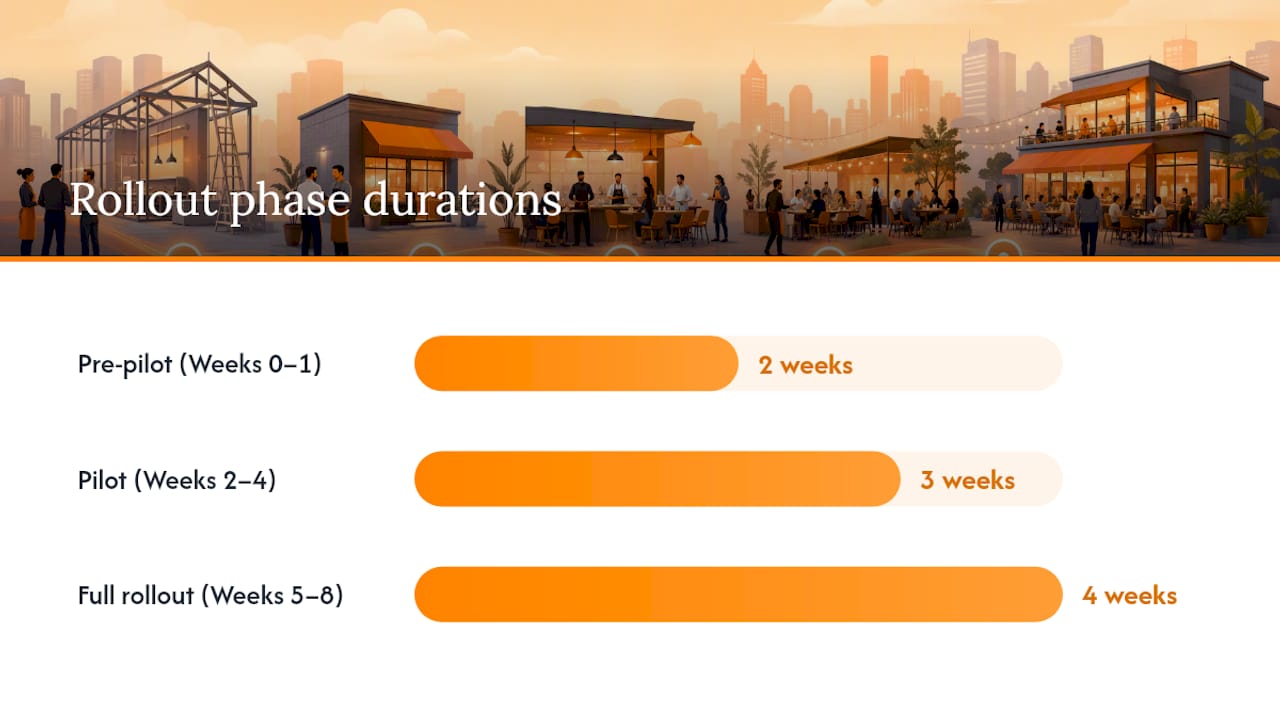
How do you roll out a table ordering system in 30–60 days?
A phased pilot beats a full-restaurant launch every time. Here's a timeline that works.
- Week 0–1 (Pre-pilot setup): Confirm POS and printer compatibility with your vendor. Map your floor plan and choose one or two pilot sections, ideally your highest-turnover tables. Build a simplified menu subset for the pilot (your top 60–70% of items by volume). Set three KPIs: adoption rate, average check, and table turn time.
- Week 2–4 (Pilot phase): Place QR codes at every table in the pilot section, laminated or in a small stand. Write two lines of signage copy: "Scan to order" and "No app needed." Train servers with a 10-minute script: greet the table, point to the QR code, explain the process, and stay available for questions. Review data weekly, not daily, to avoid overreacting to noise.
- Week 5–8 (Full rollout): Bind every table in your floor plan to a QR code. Sync your full menu SKU list. Adjust server scheduling based on actual coverage needs from the pilot. Promote the system to guests via your email list, social channels, and a small table card. Define rollback criteria in advance: if adoption stays below 20% after 60 days, revisit your signage and staff scripting before abandoning the system.
Pro Tip: Run staff training in 10-minute micro-sessions before each shift for the first two weeks, not a single 90-minute orientation. Short, repeated exposure to the new workflow builds confidence faster than one long session.
Platforms like Table Order show how a QR-first flow can be live within days when the menu is already digitized.
What does it cost, and what ROI should you expect?
Pricing for QR order-at-table systems in the U.S. typically follows a subscription model, with optional hardware costs layered on top.
| Cost Category | Typical Range | Notes |
|---|---|---|
| Monthly subscription | Varies by vendor | Most offer tiered plans; free trials are common |
| Kitchen printer hardware | — | One-time; often compatible with existing Epson/Star units |
| NFC table tags | $1–$5 per table | Optional; QR stickers cost almost nothing |
| Payment processing | — | Depends on gateway; often passed through from Stripe or Square |
| POS integration setup | — | Some vendors include it; others charge a one-time fee |
Statistic callout: Qrordering's deployment data shows a 25% increase in table turnover. For a restaurant doing $800 in revenue per table per night across 20 tables, a turn improvement translates to meaningful additional revenue per shift without adding a single seat.
A simple ROI model: if your system costs $150/month and you recover one server shift per week at $120 per shift, you're cash-flow positive in week two. Add the check average lift from upsells and the math gets more compelling quickly.
What are the technical requirements before you go live?
The friction in most implementations comes from three places: POS compatibility, printer routing, and network stability.
- POS integration: Ask your vendor for a list of supported POS systems before you sign anything. Most modern systems integrate via API or middleware. If your POS isn't on the list, ask about webhook or manual export options as a bridge.
- Kitchen printers vs. KDS: If you use a kitchen display system, confirm the vendor can route tickets to it. If you use thermal printers, check that the vendor supports your model (Epson TM series and Star Micronics are the most common). Modifier handling must be tested before go-live.
- Network setup: Create a dedicated guest Wi-Fi SSID separate from your operational network. This protects your POS and back-office systems. Bandwidth requirements for QR ordering are low, but dead zones near tables will kill adoption.
- Payments and PCI scope: When guests pay through a QR ordering system, card data should never touch your servers. Vendors that route payments through tokenized gateways (Stripe, Braintree, or similar) keep you out of PCI scope for card storage. Confirm this explicitly. Apple's billing documentation at support.apple.com covers how app-based payment arrangements work if your vendor uses an iOS app component.
Pro Tip: Before your pilot goes live, run a full end-to-end test: scan the QR code, place an order with a modifier, pay, and confirm the ticket prints correctly in the kitchen. Do this at least 10 times across different devices (Android and iOS) and different network conditions.
How do you handle payment security and PCI compliance?
PCI DSS compliance for QR ordering is manageable when you choose the right vendor architecture.
- Secure your Wi-Fi — Your guest SSID should be isolated from your POS network. Use WPA3 encryption where your router supports it.
For contract-level data privacy obligations, particularly around CCPA compliance for California operators or state-level equivalents, consult legal counsel. This section is general operational guidance, not legal advice.
What KPIs should you track after launch?
| KPI | 30-Day Pilot Target | 90-Day Stable Target |
|---|---|---|
| QR adoption rate (% of covers) | 30–40% | 70% |
| Average check change | +3–5% | +8% |
| Table turn time reduction | 5–8 minutes | 10–15 minutes |
| Order error rate | Down 30–40% | Down 60% |
| Payment completion rate | 25% increase | — |
Set your 30-day targets conservatively. Adoption builds as guests get comfortable and staff get better at introducing the system. If you hit 40% adoption in week two, that's a strong signal. If you're at 15% in week four, the problem is almost always signage or staff scripting, not the technology.
Key Takeaways
Mobile QR table ordering delivers measurable gains in table turnover, check size, and error reduction when deployed with a clear pilot plan and POS integration from day one.
| Point | Details |
|---|---|
| Pilot before full rollout | Start with 1–2 table sections for 30 days and track adoption rate, check size, and turn time. |
| POS integration is non-negotiable | Orders must sync to your POS automatically; manual re-entry reintroduces the errors you're trying to eliminate. |
| Table turnover impact | Qrordering reports a 25% increase in table turnover after full deployment. |
| Staff scripting drives adoption | A 10-minute server introduction script moves guest adoption faster than signage alone. |
| Qrordering free trial | Qrordering offers a no-cost trial that lets you run a full pilot before committing to a subscription. |
What operators consistently get wrong with table ordering
The biggest mistake isn't choosing the wrong vendor. It's overcomplicating the menu before the pilot. Operators upload every modifier, every 86'd special, every seasonal item, and the menu becomes harder to navigate than a printed book. Start with your top sellers, clean descriptions, and one photo per item. You can add complexity after adoption is stable.
The second mistake is skipping staff scripting. Servers who feel threatened by self-ordering will unconsciously undermine it. A two-sentence introduction ("You can order right from your phone, and I'm here if you need anything") turns potential resistance into a handoff. Without that script, adoption stalls at 20% and managers blame the technology.
Printer routing is the third place things go wrong. If a modifier for "no nuts" doesn't print on the allergy ticket in the kitchen, you have a liability problem, not just an operational one. Test every modifier path before a single guest uses the system live.
The operators who get the most out of QR ordering treat it as a hospitality upgrade, not a cost-cutting exercise. When staff are freed from order-taking, the best ones redirect that time toward genuine table presence. That's where the guest experience actually improves.
Qrordering makes your pilot straightforward
Cutting two staff members per shift while turning tables 25% faster is the kind of result that changes a restaurant's economics. Qrordering delivers exactly that: no-app QR ordering, instant kitchen ticketing, thermal printer support, real-time floor plan management, and analytics that show you adoption and check performance from day one.
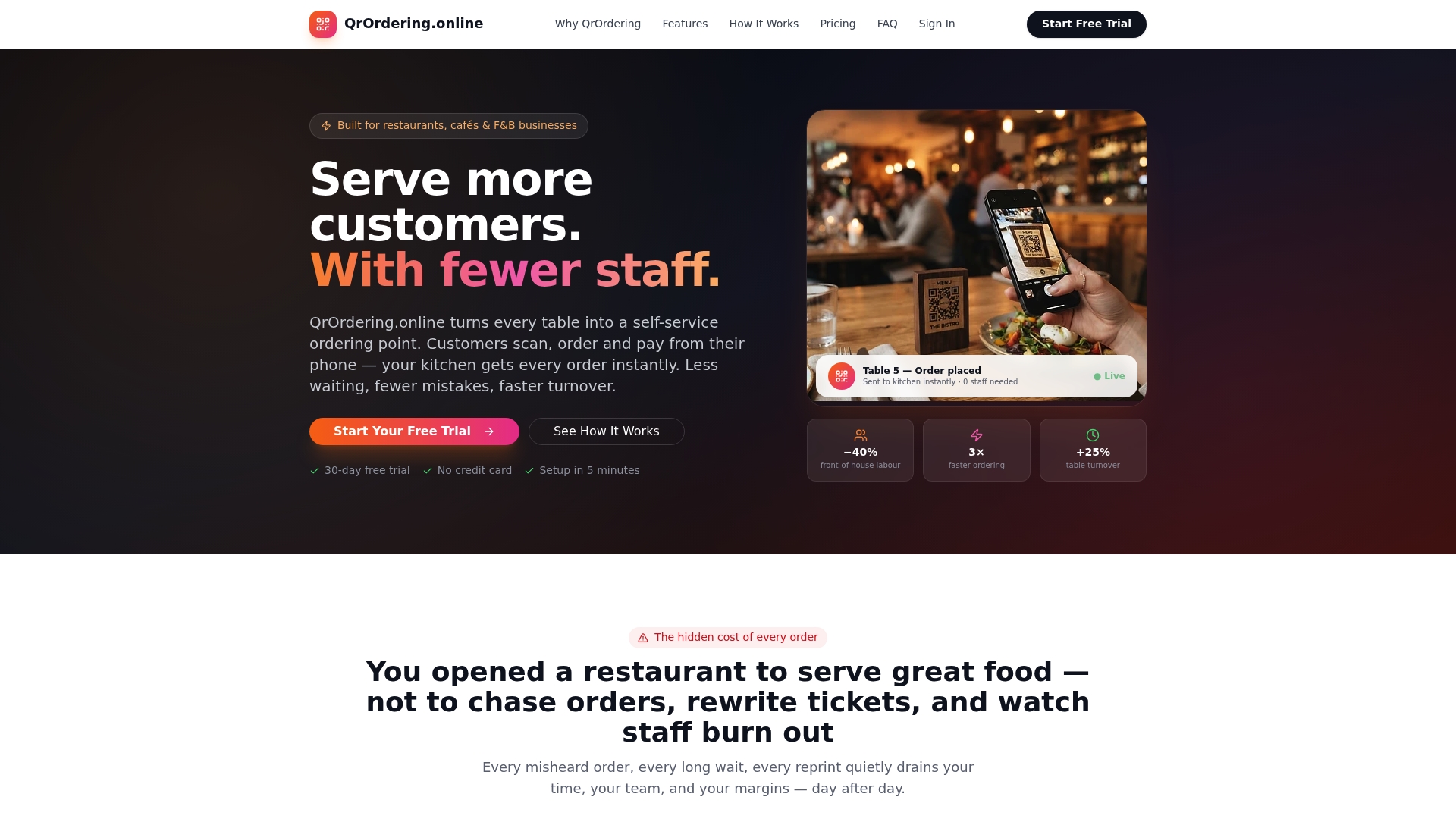
The free trial covers everything you need to run a 30-day pilot on one section of your restaurant. Set up takes less than a week: upload your menu with photos, bind your tables to QR codes, and you're live. No expensive hardware, no long-term contract to sign before you've seen results. Start your free trial at qrordering.online and have your pilot section running before your next weekend service.
Useful sources for implementation and compliance
- QrOrdering.Online - The simplest QR code ordering system for modern restaurants.
- support.apple.com
- Book Your At The Table Reservation Now on Resy
- At The Table BYOB - Updated 2026, Contemporary American Restaurant in Wayne, PA
- Table Order
- Order at Table